Conversational GRC vs Traditional Dashboards: Why Your Team Hates Archer
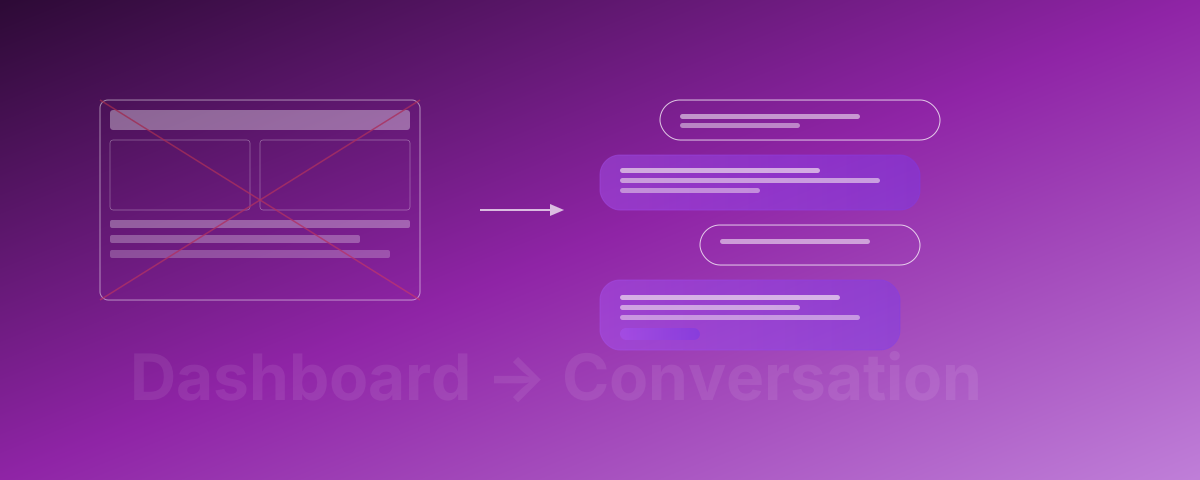
I’ve watched GRC analysts spend 3 days compiling a board report that an AI agent generates in 30 seconds. Both use the same data. The difference isn’t the analyst’s competence — it’s the tool.
This isn’t a hypothetical. I’ve sat in the room. I’ve watched a senior risk analyst — someone with 15 years of experience, deep domain knowledge, genuine expertise — spend Monday through Wednesday pulling data from RSA Archer, reformatting it in Excel, building slides in PowerPoint, and then nervously presenting numbers that were already outdated by the time they hit the projector.
That same week, I watched an AI agent answer the exact same question — “What’s our current risk posture for the board?” — in 30 seconds. Same data sources. Same conclusions. Different century of tooling.
The GRC industry has a dirty secret: the tools designed to manage governance, risk, and compliance are so painful to use that most organisations either abandon them, underuse them, or — my personal favourite — maintain parallel spreadsheets because the €500K/yr platform is harder to use than Excel.
It’s time to talk about why. And what the alternative looks like.
The Dashboard Problem
Let’s start with an honest assessment of where the GRC tool market stands today.
The Big Three (and Their Big Problems)
RSA Archer: €150–500K/yr
Archer is the legacy heavyweight. It’s been around since 2004, acquired by RSA (then Dell, then Symphony Technology Group), and it shows. The interface looks like it was designed by someone who really loved early-2000s enterprise Java. Implementation takes 6–12 months. You need a dedicated Archer admin — sometimes a whole team. And after all that investment, most organisations use maybe 20% of its capabilities.
I’ve seen Archer deployments where the admin team spent more time maintaining Archer than actually doing GRC work. The tool became the job, rather than enabling the job.
ServiceNow GRC: €100–300K/yr
ServiceNow GRC is newer, shinier, and rides on the ServiceNow platform — which means if you’re already a ServiceNow shop, it feels like a natural extension. Until you try to configure it. ServiceNow GRC implementations routinely require 2–3 external consultants, run 4–8 months, and cost as much in implementation as the first year of licensing.
The promise is “everything on one platform.” The reality is “everything on one platform that requires a certified specialist to modify a dropdown menu.”
OneTrust: €50–200K/yr
OneTrust started in privacy management and expanded into GRC. It’s the most modern of the three, but “most modern legacy tool” is like being the fastest tortoise. The UI is cleaner, the implementation is shorter, but you’re still dealing with rigid workflows, complex configurations, and the fundamental problem that plagues all dashboard-based GRC tools.
The Fundamental Problem
Here’s what all three share: they’re built around dashboards and data entry, not around how people actually think about risk and compliance.
Think about how a CISO actually wants to interact with GRC data:
- “Are we compliant with NIS2?” — Simple question. In Archer, answering it requires navigating 4 modules, running 2 reports, and cross-referencing a mapping table.
- “What changed since last quarter?” — Another simple question. In ServiceNow GRC, you need to compare two report snapshots manually or build a custom widget.
- “Add this new risk we just discovered.” — In OneTrust, this means filling out a 47-field form, selecting from 12 dropdown menus, and hoping you’ve linked it to the right controls.
Every interaction is mediated by a complex UI that nobody fully learns, nobody enjoys using, and nobody uses voluntarily.
The Spreadsheet Rebellion
Here’s the statistic that should embarrass every GRC vendor: roughly 60% of organisations still manage significant portions of their GRC activities in spreadsheets. Not because Excel is a great GRC tool — it’s terrible for it. But because the alternative is worse.
When a €500K/yr platform loses to a free spreadsheet, the platform has a design problem, not a feature problem.
The spreadsheet persists because it’s frictionless. You open it. You type. You’re done. No login portals, no module navigation, no mandatory fields, no workflow approvals for entering a single data point. The data quality is awful, the audit trail is nonexistent, and version control is a nightmare — but people actually use it.
That’s the insight that changes everything: the best GRC system is the one people actually use.
The Hidden Costs
The sticker price is just the beginning. Here’s what traditional GRC tools actually cost:
- Licensing: €50–500K/yr (depending on modules and users)
- Implementation: €100–400K (consultants, configuration, data migration)
- Ongoing administration: 1–3 FTEs dedicated to tool maintenance (€80–240K/yr)
- Training: €20–50K/yr (new hires, refreshers, module rollouts)
- Opportunity cost: Hundreds of hours per year spent on data entry instead of actual risk management
A mid-size enterprise easily spends €300–800K in the first year and €200–500K annually thereafter. For a tool that most employees actively avoid using.
The Conversational Alternative
What if GRC wasn’t a dashboard you dread? What if it was just… a conversation?
Not a chatbot bolted onto a dashboard. Not a “natural language query” feature buried in a menu. A fundamentally different architecture where conversation is the primary interface and the system does the heavy lifting behind every question.
Here’s what that looks like in practice:
Conversation 1: Risk Posture Overview
You: “What’s our current risk posture?”
Agent: “Here’s your risk posture as of today:
- 142 active risks across 6 categories. 23 rated critical or high.
- Top 3 risks by residual score: (1) Third-party data processor in non-EU jurisdiction — residual score 18, treatment plan in progress, owner: Sarah Chen. (2) Legacy authentication system — residual score 16, remediation scheduled for Q2. (3) Incomplete AI inventory — residual score 15, gap identified in last month’s ISO 42001 assessment.
- Trend: Overall risk score decreased 8% from last quarter. Supply chain risk increased 12% following the new vendor onboarding.
- Controls effectiveness: 87% of controls tested on schedule. 14 controls overdue for testing.
Want me to drill into any of these, or generate the board summary?”
That took 4 seconds. In Archer, assembling this view takes a trained analyst 2–4 hours.
Conversation 2: Board Report Generation
You: “Generate the Q1 board report.”
Agent: “Generated. Here’s what’s included:
- Executive risk summary with quarter-over-quarter trends
- Top 10 risks with treatment status and owner accountability
- Compliance status across NIS2, DORA, ISO 27001, and GDPR
- Control effectiveness metrics (87% on-schedule, up from 82%)
- 3 risk acceptances requiring board ratification
- Incident summary: 2 material incidents, both contained within SLA
The report follows your standard board template. I’ve flagged 2 items that differ significantly from last quarter for your review before distribution. Shall I walk you through the changes?”
30 seconds. Not 3 days.
Conversation 3: Control Testing Status
You: “Which controls are overdue for testing?”
Agent: “14 controls are overdue:
- AC-07 (Unsuccessful login attempts) — Owner: IT Security, due 15 days ago
- IR-04 (Incident handling) — Owner: SOC Team, due 12 days ago
- RA-05 (Vulnerability scanning) — Owner: Platform Engineering, due 10 days ago
- [11 more listed with owners and due dates]
The top 3 are linked to your NIS2 compliance. If they remain untested past March 15, your NIS2 compliance score drops below the 90% threshold. Want me to send reminders to the control owners?”
Conversation 4: Adding a New Risk
You: “Add a new risk: we found customer PII in a development environment.”
Agent: “Risk created: R-2026-047 — Customer PII exposure in development environment.
Here’s what I’ve done:
- Categorised as data protection / privacy risk
- Inherent risk score: 20 (likelihood: 4, impact: 5) based on PII exposure patterns
- Linked to controls: DG-02 (data classification), DG-05 (test data management), AC-03 (access enforcement)
- Mapped to frameworks: GDPR Art. 32, NIS2 Art. 21, ISO 27001 A.8.11
- Suggested treatment plan: (1) Immediate: isolate the environment and audit access logs. (2) Short-term: implement data masking for dev/test environments. (3) Long-term: deploy automated PII scanning in CI/CD pipeline.
- Suggested owner: Data Protection Officer (based on risk category)
Want me to adjust anything, or shall I notify the DPO and schedule a risk review?”
In a traditional tool, this is a 15-minute form-filling exercise — if the analyst even knows which fields to populate and which controls to link. Most don’t. So the risk gets entered with minimal metadata, no control linkage, and no framework mapping. Then someone spends hours fixing it later.
Conversation 5: Compliance Trend Analysis
You: “How does our NIS2 compliance compare to last quarter?”
Agent: “NIS2 compliance: 91% (up from 84% last quarter).
Key improvements:
- Incident reporting procedures now fully documented (+3%)
- Supply chain risk assessments completed for tier-1 vendors (+2%)
- Business continuity testing conducted and documented (+2%)
Remaining gaps:
- Vulnerability disclosure policy — drafted but not approved (blocks 2% progress)
- Cross-border incident coordination — procedure exists but hasn’t been tested (blocks 2%)
- Board-level cybersecurity training — scheduled for March but not yet completed (blocks 3%)
- Third-party audit of critical systems — procurement in progress (blocks 2%)
At current pace, you’ll reach 95% by end of Q2. Want me to model what happens if the vulnerability disclosure policy approval is delayed?”
Side-by-Side: Traditional vs Conversational GRC
Let’s make this concrete across the dimensions that actually matter.
Implementation Time
- Traditional: 6–12 months (Archer), 4–8 months (ServiceNow), 2–4 months (OneTrust)
- Conversational: 2–4 weeks. Import your existing data, configure your frameworks, start talking.
Training Required
- Traditional: 40+ hours per user. Ongoing training for new modules. Certified admin required.
- Conversational: Zero formal training. If you can ask a question, you can use it. Onboarding is a 15-minute walkthrough.
Daily Usage Pattern
- Traditional: Login → navigate to module → fill forms → run reports → export → reformat. Average session: painful.
- Conversational: Ask a question → get an answer. Average session: 2 minutes. People actually come back.
Report Generation
- Traditional: Days of manual compilation. Custom reports require admin configuration or consultant time.
- Conversational: Seconds. Any report, any format, any time. Natural language request, instant delivery.
Cross-Framework Mapping
- Traditional: Manual mapping tables. Maintained by specialists. Often outdated. Single-framework view by default.
- Conversational: Automatic. One control maps to all relevant frameworks simultaneously. Always current. The agent understands the relationships.
Annual Cost (Mid-Size Enterprise)
- Traditional: €200–800K/yr (licensing + admin + training + consultants)
- Conversational: Fraction of traditional costs. No dedicated admin team. No implementation consultants. See our pricing for specifics.
User Adoption
- Traditional: 30–40% of intended users actively engage. The rest use spreadsheets.
- Conversational: 90%+ adoption. Because it’s easier than the spreadsheet alternative.
Why Conversational GRC Actually Works
It’s not just about a nicer interface. The conversational model fundamentally changes four things:
1. Friction Disappears
Every click, every form field, every navigation step is friction. Friction kills adoption. Adoption determines data quality. Data quality determines whether your GRC programme actually works or is just theatre.
When the interface is natural language, friction approaches zero. People use the system because it’s genuinely easier than not using it. That’s the threshold that traditional tools never cross.
2. Adoption Drives Data Quality
Here’s the virtuous cycle that traditional GRC tools can never achieve:
Low friction → high adoption → more data entered → better data quality → more useful outputs → even higher adoption.
Traditional tools are stuck in the opposite cycle: high friction → low adoption → sparse data → useless outputs → even lower adoption → spreadsheet rebellion.
When your GRC platform is conversational, people actually enter risks when they find them, update controls when they test them, and document incidents when they occur. Not because they’re forced to — because it’s easy.
3. Intelligence Compounds
In a traditional tool, data sits in silos. Risks in one module, controls in another, compliance status in a third. Connecting them requires manual effort or complex configuration.
In a conversational system powered by AI agents, every piece of data is connected by default. When you add a risk, the agent automatically identifies relevant controls, maps to frameworks, suggests treatments, and updates compliance scores. One input creates dozens of connections.
Over time, this compounds. The system gets smarter. Context builds. The agent learns your organisation’s risk patterns, your framework priorities, your reporting preferences. Six months in, it’s not just answering questions — it’s anticipating them.
4. Cross-Agent Intelligence
This is where conversational GRC becomes genuinely transformative. When your GRC agent connects to your compliance agent, your vendor risk agent, and your audit agent, information flows automatically.
A vendor fails a security assessment? The vendor risk agent flags it. The GRC agent updates the associated risks. The compliance agent recalculates your NIS2 score. The audit agent adds it to the next review cycle. All automatically. All in seconds.
In a traditional tool, this chain of updates requires 4 different people logging into 4 different modules and manually updating 4 different records. It takes days. Often, it doesn’t happen at all.
”But What About…”
I hear the same objections every time. Let’s address them directly.
”What about audit trails?”
Every conversation is logged. Every change is versioned. Every decision is traceable. In fact, the audit trail in a conversational system is better than in a traditional tool — because it captures the context of decisions, not just the data changes.
When an auditor asks “why was this risk accepted?”, a traditional tool shows a checkbox change and maybe a comment field. A conversational system shows the full discussion: the question asked, the data reviewed, the analysis provided, the rationale documented, and the approval recorded. Complete context, every time.
”What about complex workflows?”
Risk approvals, control testing workflows, exception management, board escalations — these all still happen. The agent manages them conversationally.
“Submit this risk for CISO approval” → the agent routes it, tracks it, follows up, and notifies you when it’s approved. Same workflow, zero form-filling.
Complex doesn’t mean complicated. The workflows can be sophisticated while the interface remains simple.
”What about data security?”
This is non-negotiable, and we treat it that way:
- EU-hosted infrastructure — your GRC data never leaves European jurisdiction
- End-to-end encryption — in transit and at rest
- GDPR compliant — by design, not by afterthought
- Role-based access — the agent respects your permission model
- SOC 2 Type II — because we practice what we preach
Your data security posture with a conversational GRC system should be at least as strong as with a traditional tool. In our case, it’s stronger — because we built security in from day one rather than bolting it onto a 20-year-old architecture.
”What about regulatory acceptance?”
Regulators care about outcomes: Can you demonstrate compliance? Can you produce evidence? Can you show your risk management process?
They don’t care whether you clicked through a dashboard or had a conversation. They care about the audit trail, the documentation, and the evidence. A conversational system produces all three — often with better quality and completeness than traditional tools.
”Can it really replace Archer?”
Yes. Not overnight — migration takes planning. But the end state is a system that does everything Archer does, costs a fraction as much, takes weeks instead of months to implement, and — critically — people actually use.
We’ve seen organisations migrate from Archer in 3–4 weeks, maintain full audit continuity, and achieve higher adoption rates within the first month than they ever had with Archer.
The Bottom Line
The GRC industry has spent 20 years building increasingly complex dashboards that increasingly nobody uses. The result is predictable: billions spent on tools, compliance managed in spreadsheets, risk data that’s always outdated, and board reports that take days to compile.
Conversational GRC isn’t a feature upgrade. It’s a paradigm shift. It’s the recognition that the interface is the product, and that natural language is the only interface that achieves universal adoption.
Your team hates Archer because Archer was designed for Archer administrators, not for the people who actually manage risk. Your analysts use spreadsheets because spreadsheets don’t fight back. Your board reports take days because the tools make simple questions hard to answer.
It doesn’t have to be this way.
See the Difference Yourself
Book a 30-minute live demo where we run your actual compliance scenario. Bring your messiest framework. Bring your most complex board report requirement. Bring the question that takes your team 3 days to answer.
We’ll answer it in 30 seconds.
Not with a slide deck. Not with a sandbox. With your data, your frameworks, your questions. That’s how confident we are that conversational GRC isn’t just different — it’s better.
Need help with this?
We help enterprise security teams implement what you just read — from strategy through AI-powered automation. First strategy session is free.